Forms that answer back.
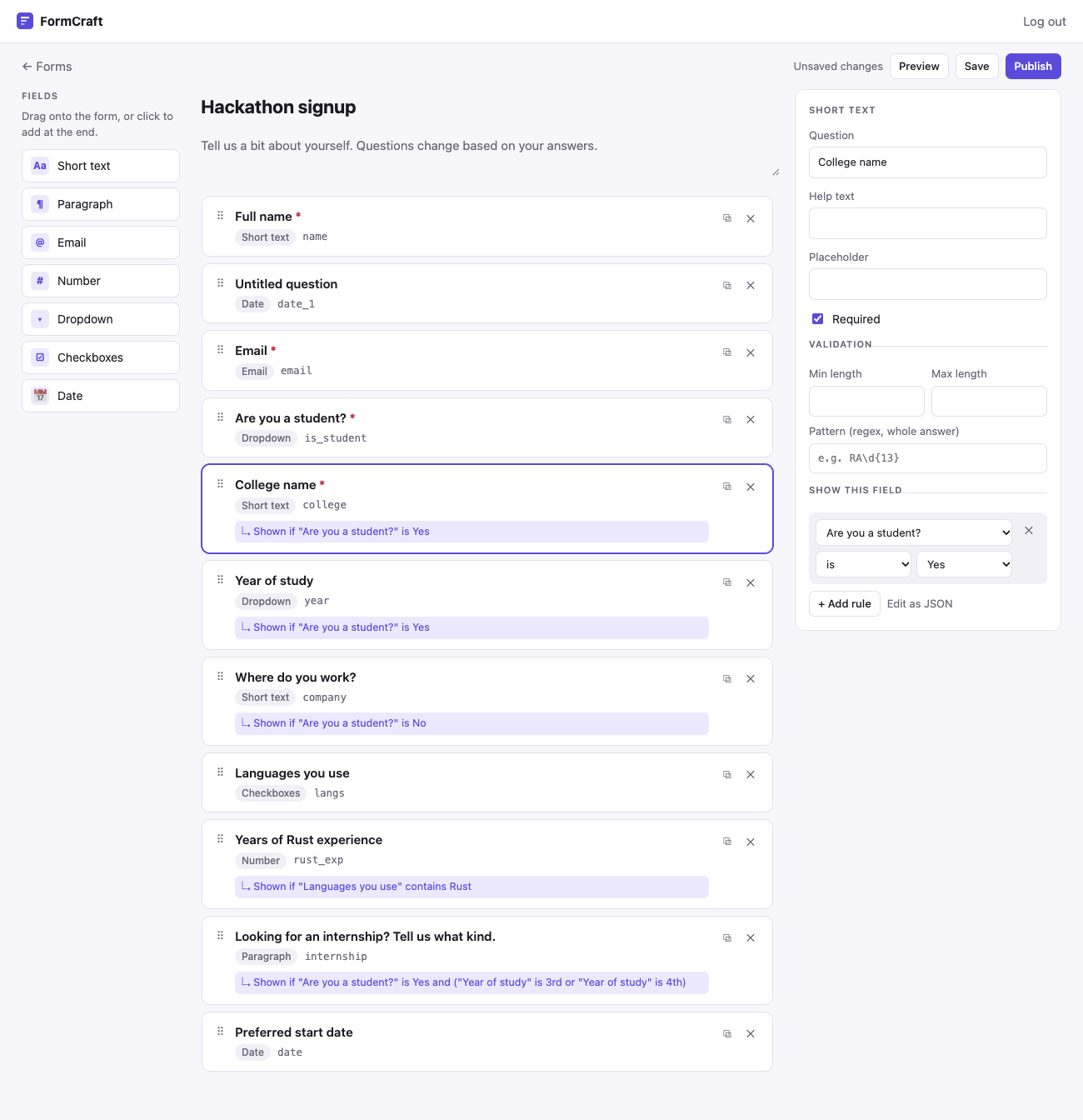
Drag fields onto a form, publish it, share a link. The difference from a toy builder is conditional logic: "Are you a student?" → Yes → "College name" and "Year of study" appear. Pick 3rd year and an internship question shows up.
Demo password: demo1234. Click ‘Start from example’ to get a form with branching already set up.
Logic the server checks too.
Hiding a field in the browser is easy. FormCraft re-runs every condition on the server, so the stored answers always match what the person actually saw.
Nested conditions
Rules like "Languages" contains Rust, combined into nested all / any trees. Eight operators, from equals to gt.
Only upward
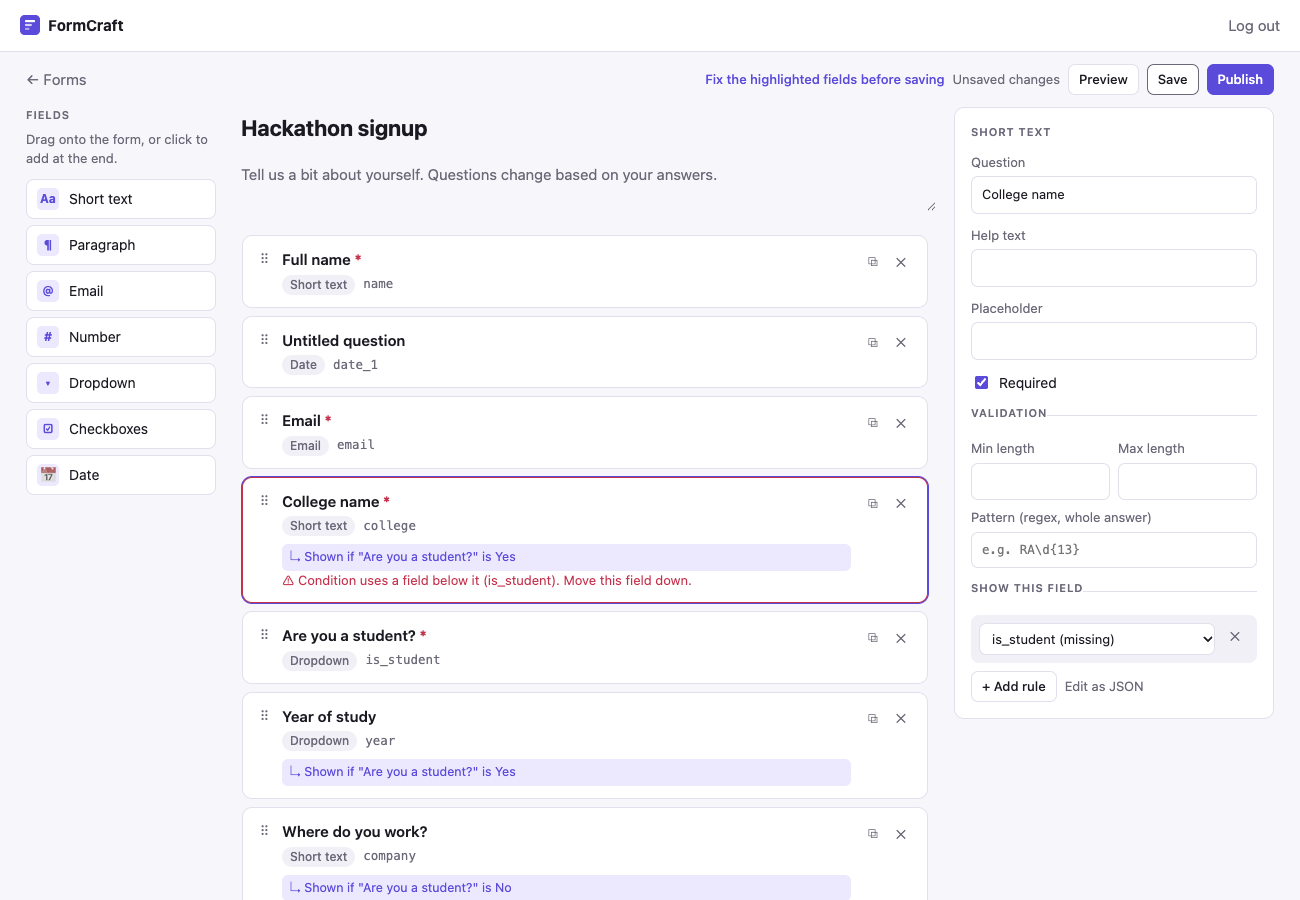
A condition can only use fields above it, so there are no cycles to detect. Drag a field above its dependency and the card turns red before you save.
One logic, two languages
Python on the server, TypeScript in the browser, and both are tested against the same 25 cases in shared/conditions.json so they can't drift.
What it looks like
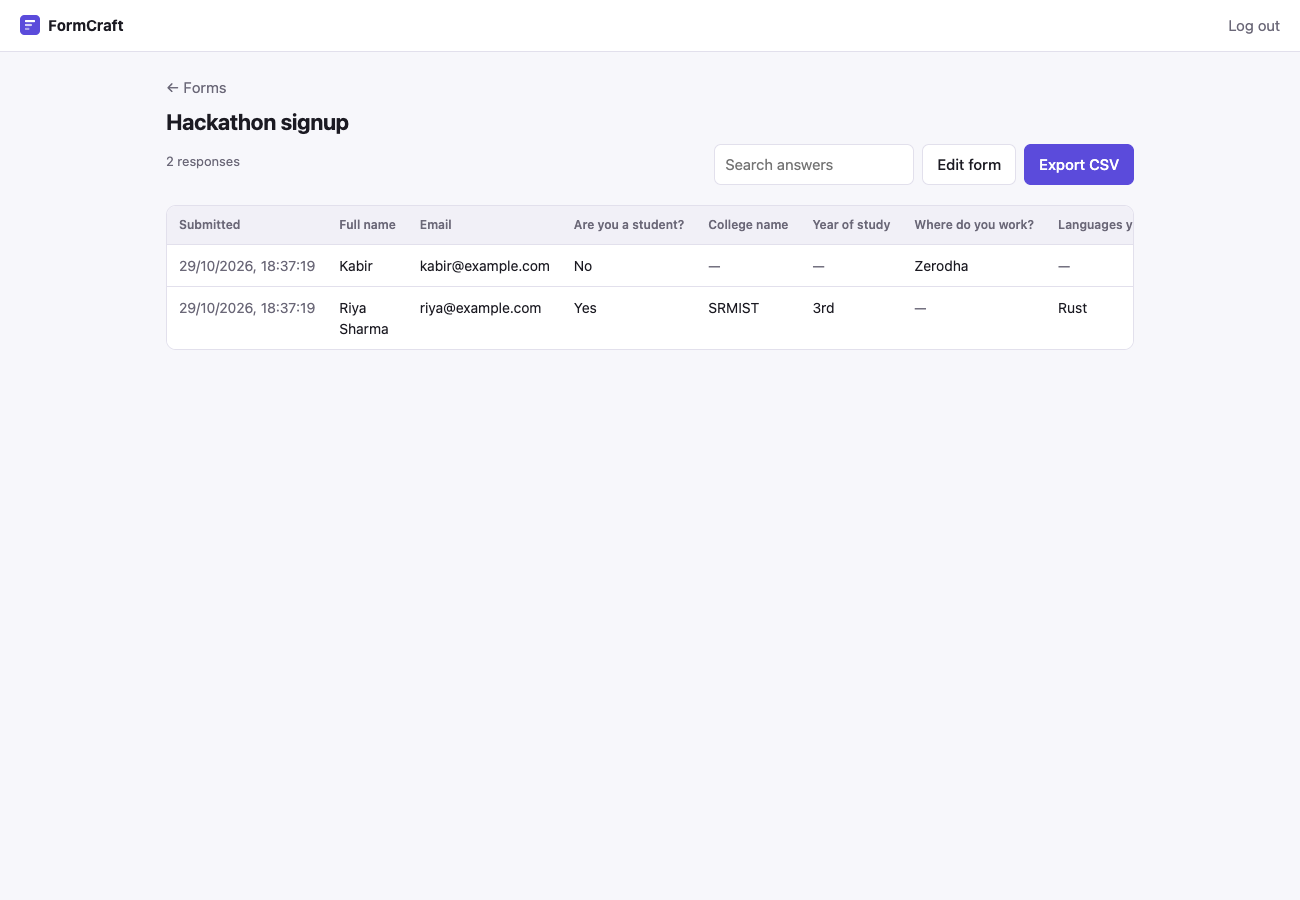
The builder with its palette and live preview, the warning when a condition points at a field below it, and the responses table with CSV export.
Key concepts & stack
Hidden answers are dropped
On submit the server works out which fields were visible, throws away answers to the rest, and enforces required only where it applies.
JSONB schemas
Every form has a different shape, so the schema and the answers are JSONB columns instead of a table per field.
Seven field types
Short text, paragraph, email, number, dropdown, checkboxes and date, each with its own validation: length, regex pattern, min and max.
Keyboard drag-and-drop
dnd-kit sortable lists, so fields can be reordered with the mouse or the keyboard.
Safe CSV export
Columns are kept for deleted fields, and answers starting with =, +, - or @ are escaped so spreadsheets don't run them as formulas.
Owner-only builder
A single owner password and a signed session cookie for the builder; filling a published form needs no login.
Run your own
SQLite is used locally when DATABASE_URL isn't set, so there's nothing else to install.
API
- 1Install, then set
ADMIN_PASSWORDin.env:cd backend && uv sync cp .env.example .env - 2Start it on port 8000:
uv run uvicorn app.main:app --reload
App
- 1Install and start Vite:
cd frontend && npm install npm run dev - 2Open it and click ‘Start from example’:
http://localhost:5173